
Game Version Compatibility
How to use game version compatibility in Paradox Modding Toolkit.
Review an old game version, your mod and a target version before updating the mod. File comparison shows what changed upstream. Mod Compatibility adds recipes for specific known changes. Both require your review and target-game testing.
0.5.5 prerelease for 0.6.0, experimental: these tools are off by default. Enable Experimental features in Project > Settings > All settings (
px.experimentalFeatures). Disabling it blocks actions while retaining files and saved sessions. See Upgrading.
Prepare the inputs#
Keep a copy of the game data your mod was built against. Steam's current installation supplies only its current files; it is not a substitute for an old reference. You need:
- Mod: the content you want to update.
- Old Game Version: the game data the mod was built against.
- New Game Version: the target game data.
- Result: a separate folder for the updated mod.
Use game-data folders containing common/, events/ and the other content directories. Keep both game versions read-only. Back up the mod or create a Git checkpoint. Save source documents before creating the Result; unsaved source changes block this copy. "Old" and "new" describe their role in the update, including a deliberate downgrade, rather than numeric version order.
Compare game changes#
Run PX: Update Mod for New Game Version, or PX: Update This Mod for New Game Version from an applicable mod context. Choose the Mod, New Game Version, Old Game Version and Result folders. New sessions copy the mod content into Result while preserving existing Result files. Git metadata and node_modules are excluded. Subsequent edits go to Result; the original Mod remains the reference.
The Compatch view lists affected files. CK3 can also match event and localization identities, including some definitions moved between files. Victoria 3 and EU5 use file comparisons. Missing or duplicate matches need manual review; a shared name is evidence, not a guaranteed replacement.
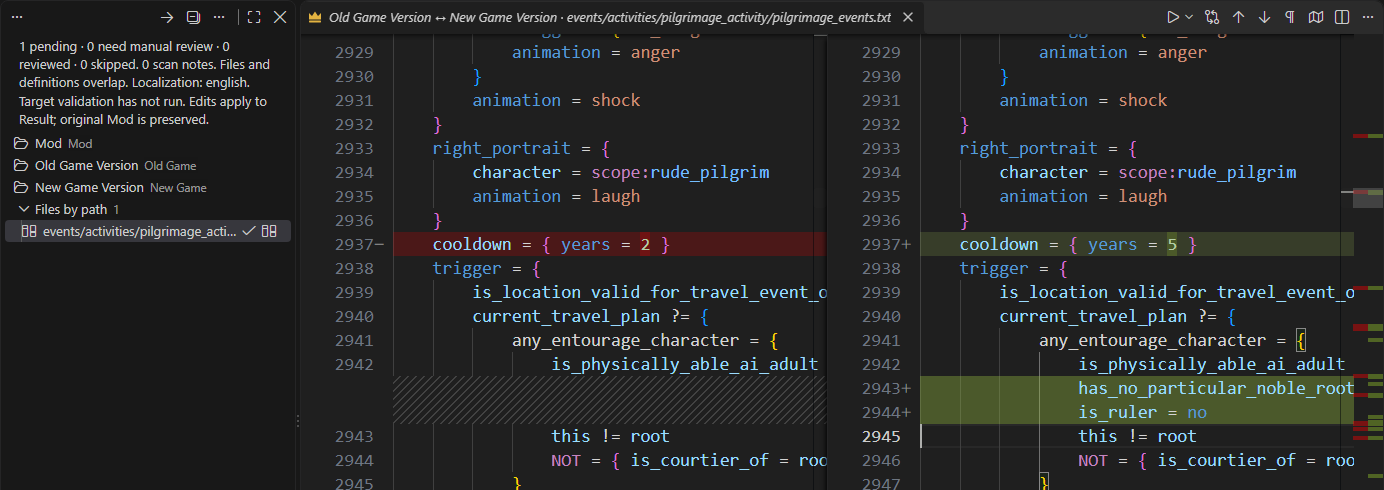
Select an entry to compare Old Game Version ↔ New Game Version. PX: Compare Old Game Version and Mod (Read-Only Reference) shows your changes against the base. A difference between game versions does not mean your mod must copy it.
Use PX: Preview Three-Way Merge to combine clean upstream changes with the mod's changes. This requires Git. Review the preview before PX: Apply Clean Game Changes. Conflicts open a temporary result for manual resolution; apply it only after inspecting the result. Missing inputs, parse errors and ambiguous definitions block an automatic merge.
If your mod deliberately replaces a file or folder, record that replacement intent. It preserves the mod content during updates but does not mark it reviewed or validated. Use the review filters to return to pending or manual work. PX: Resume Compatch Session reopens a saved session.
Use an exact-build migration route#
Open Paradox: Mod Compatibility from the Command Palette. Choose the mod to update (Result if you used the comparison workflow above), enter the exact Built for game version and Update to game version values, then select Find route. A route lists all contributions for each transition. Read their scope before choosing between alternatives.
Provide the requested reference folders for each exact build. The panel checks detected versions. A route for one build does not imply support for another build with a similar number.
- Select an entry and read its guidance.
- Inspect the selected files. The panel shows the current capture stage and allows cancellation while capture runs.
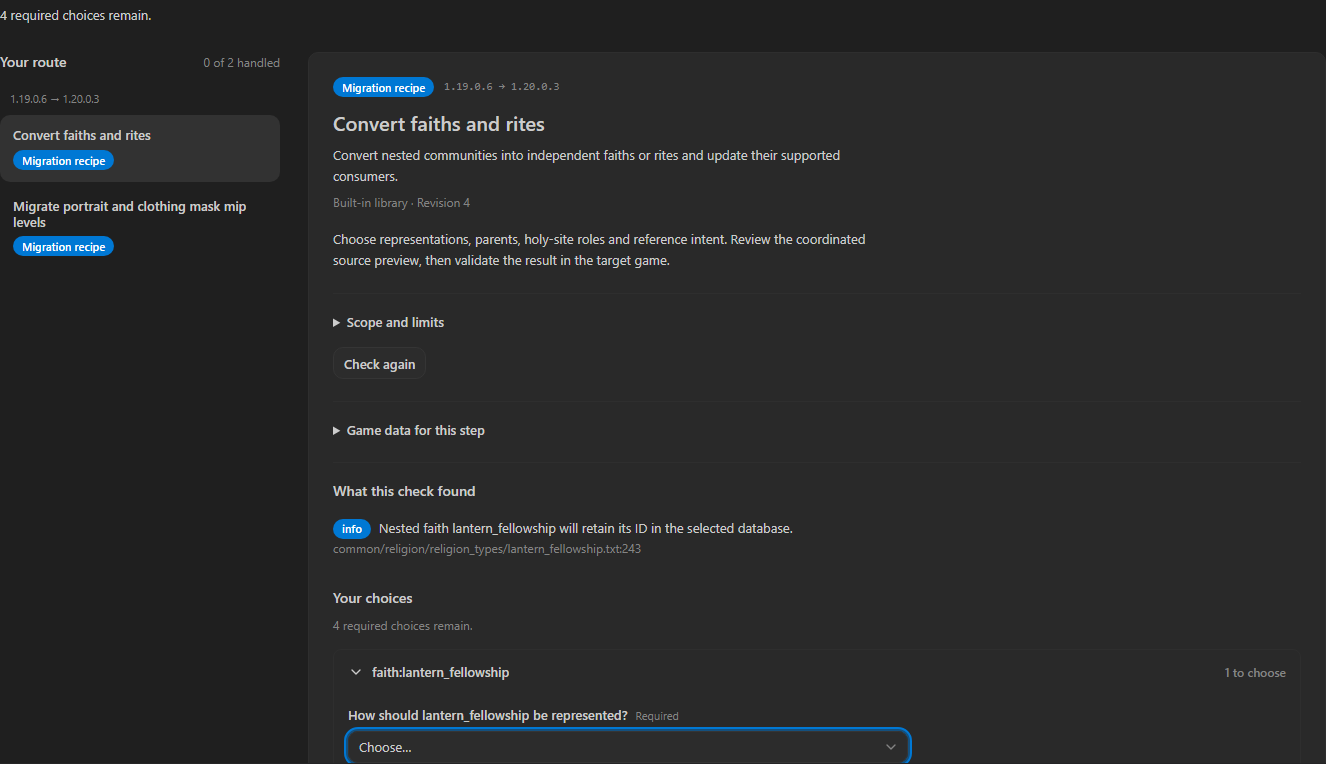
- Answer the grouped choices. Resolve blockers or record the required manual work.
- Prepare a preview and inspect every text or DDS change.
- Apply the reviewed step. Continue with remaining batches and route entries.
Changes to source files, editor encoding or recipe code invalidate a prepared preview. Save the affected document as instructed, reload a changed recipe, and prepare a fresh preview. Apply and Restore recheck destinations and preserve intervening edits. Once journaled writes start, cancellation is unavailable so the transaction and recovery record can finish.
Restore last applied migration restores steps in reverse order. Changed files remain protected. If Restore must remove an unchanged generated file that is open, close that file first and retry. Check a stopped Apply or Restore before continuing; partial progress is not completion.
Built-in CK3 coverage#
The preview includes explicit 1.19.0.6 → 1.20.0.2 and 1.19.0.6 → 1.20.0.3 routes for these known Crozier changes:
- Faith and rite conversion, with choices for independent faiths, rite parents, holy-site roles and reference intent. Explicit author values are kept. Missing or ambiguous target religious-head localization and uncertain doctrine behavior need author resolution. Custom tenets can carry their exact old vanilla icon dependencies.
- Portrait and clothing mask mip changes. The recipe uses compatible target consumers or an explicit custom policy. Review dimensions, compression and stored levels before applying. See DDS and Images.
The Lantern test mod passed a bounded gameplay check on CK3 1.20.0.3. The playtested fixture also included a separate clothes-gene merge and accessory registration outside these recipes. This does not certify arbitrary whole-mod conversion, every affected game system or existing saves. The installed Tiger 1.19 cannot certify Crozier output. Test your Result in the exact target game and inspect its logs.
Victoria 3 and EU5 have no built-in migration recipes in this preview. Their existing editor support remains available, but gameplay acceptance for these tools was not part of this release.
Local contributions#
Load files... accepts data-only JSON compatibility notes or local JavaScript recipes. Load folder... discovers contributions in a folder and its subfolders, then lets you select them. JavaScript requires a trusted workspace and explicit trust for the selected batch. Failed imports retain the previous library.
Create an entry... provides note and recipe templates, including a working folder example. The migration SDK is still work in progress; testing by an outside recipe author remains pending. Do not treat its current API as a stable publishing contract.
Compatibility between mods#
Compatibility Patch can maintain a patch for an ordered set of mods, with saved contribution, field and manual decisions. It is also experimental and off by default. Unsupported loading rules remain manual work. This preview does not claim runtime acceptance for arbitrary mod-to-mod patches. For ordinary read-only dependency setup, use Multi Mod and Translation.